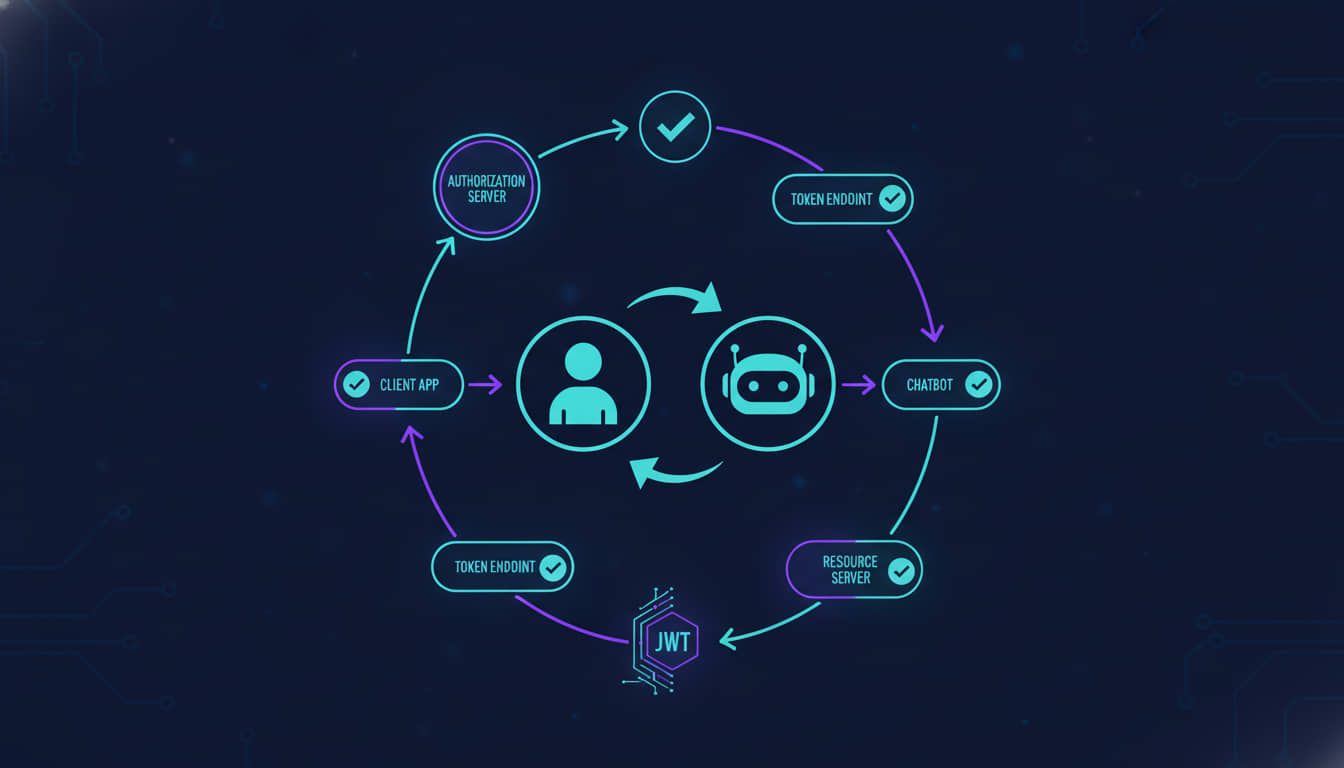
This article outlines essential techniques for securing AI chatbots through robust authorization methods. By using tools like Pinecone, Supabase, and Microsoft Copilot, it introduces techniques such as metadata filtering, row-level security, and identity-based access control. The goal is to protect sensitive data while optimizing AI-driven workflows.
AI chatbots are revolutionizing how organizations interact with data. They deliver benefits like personalized customer support, improved internal knowledge management, and efficient automation of business workflows. However, with this increased capability comes the need for strong authorization mechanisms to prevent unauthorized access to sensitive data. As chatbots grow more intelligent and powerful, robust authorization becomes critical for protecting users and organizations.
This is a 101 guide to take developers through the different techniques and providers available to add granular authorization to AI chatbots. Using Pinecone, Supabase, and Microsoft Copilot as references, we will dive into real-world techniques like metadata filtering, row-level security (RLS), and identity-based access control. We will also cover how OAuth, OIDC, JWT claims, and token-based authorization secure AI-driven interactions.
Finally, we will discuss how combining these methods helps create secure and scalable AI chatbots tailored to your organization's needs.
Pinecone: Metadata filtering for vector databases
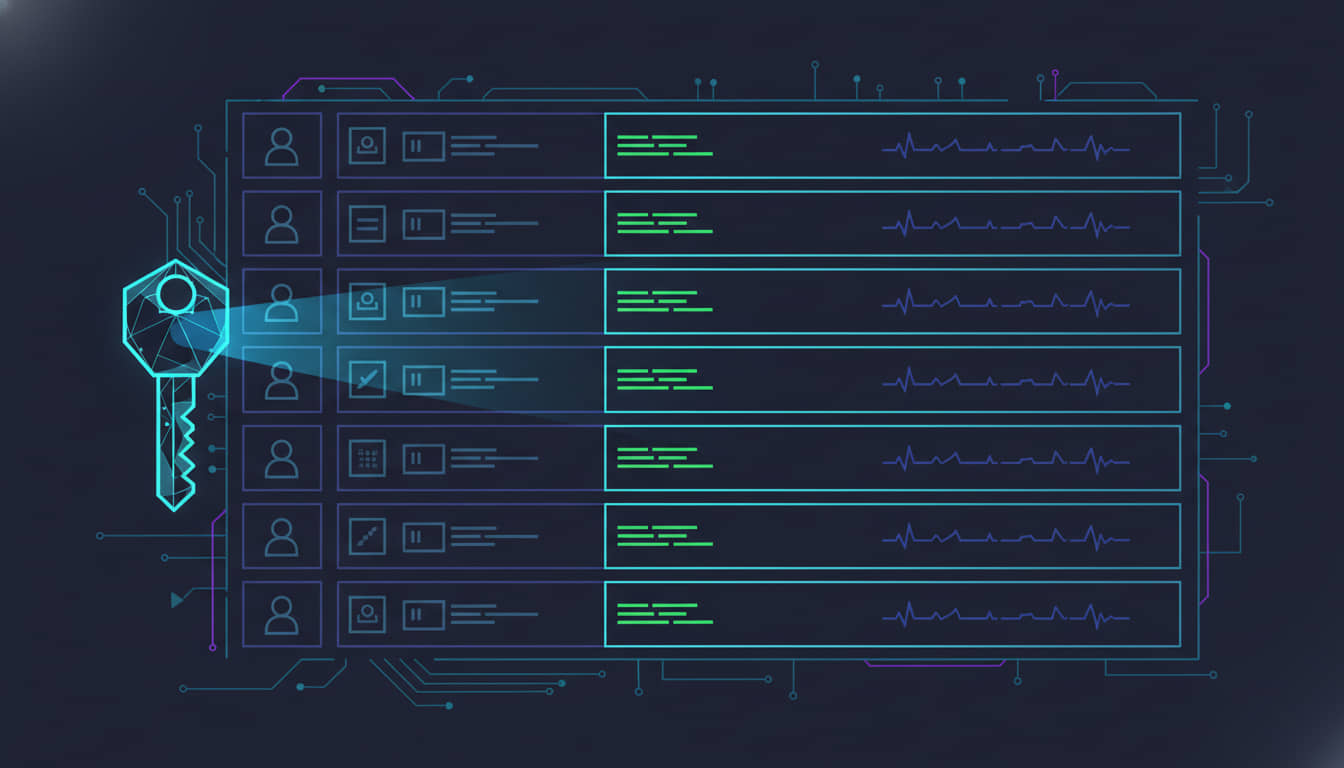
Pinecone, a vector database designed for AI applications, simplifies authorization through metadata filtering. This method allows vectors to be tagged with metadata (such as user roles or departments) and filtered during search operations. It is particularly effective in AI chatbot scenarios, where you want to ensure that only authorized users can access specific data based on predefined metadata rules.
Understanding vector similarity search
In vector similarity search, we build vector representations of data (such as images, text, or recipes), store them in an index (a specialized database for vectors), and then search that index with another query vector.
This is the same principle that powers Google's search engine, which identifies how your search query aligns with a page's vector representation. Similarly, platforms like Netflix, Amazon, and Spotify rely on vector similarity search to recommend shows, products, or music by comparing users' preferences and identifying similar behaviors within groups.
However, when it comes to securing this data, it is critical to implement authorization filters so that search results are limited based on the user's roles, departments, or other context-specific metadata.
Introduction to metadata filtering
Metadata filtering adds a layer of authorization to the search process by tagging each vector with additional context, such as user roles, departments, or timestamps. For example, vectors representing documents may include metadata like:
User roles (for example, only “managers” can access certain documents)
Departments (for example, data accessible only to the “engineering” department)
Dates (for example, restricting data to documents from the last year)
This filtering ensures that users only retrieve results they are authorized to view.
Challenges in metadata filtering: Pre-filtering versus post-filtering
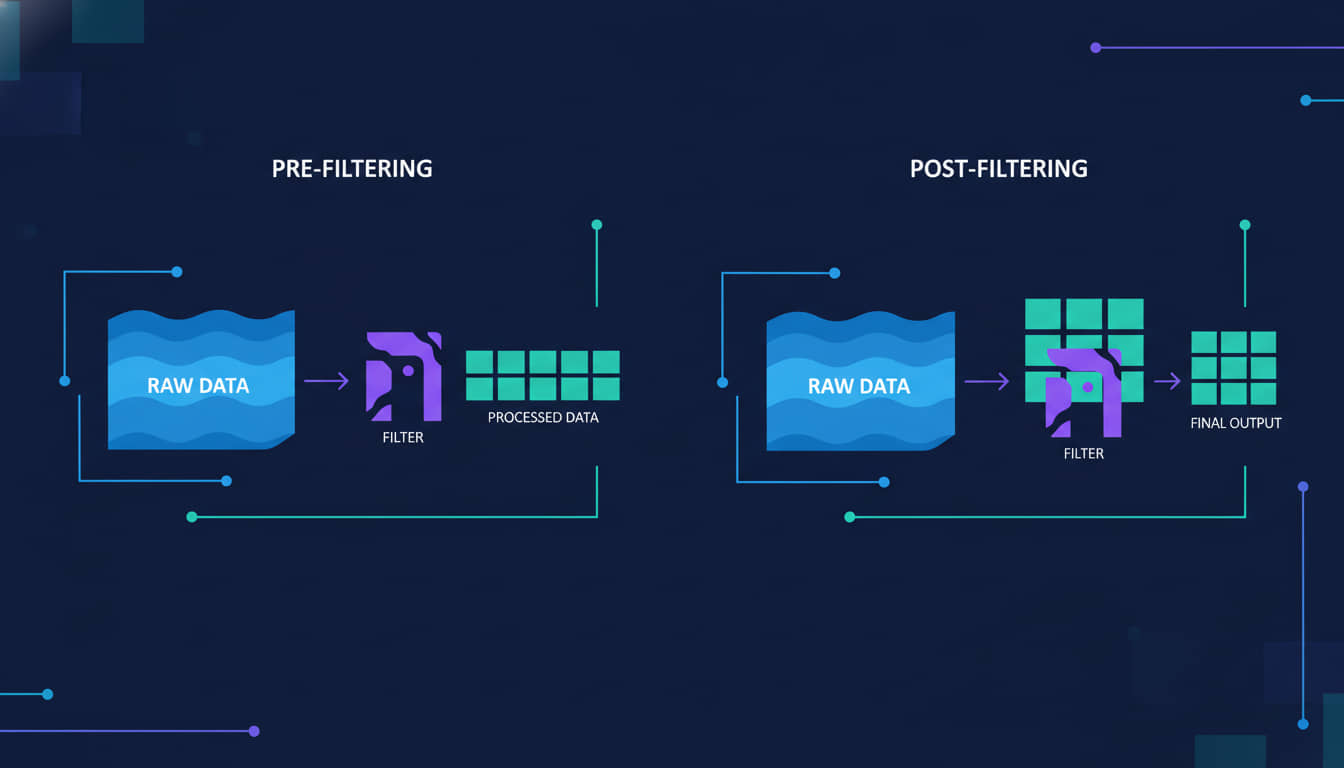
When applying metadata filtering, two traditional methods are commonly used: pre-filtering and post-filtering.
Pre-filtering applies the metadata filter before the search, limiting the dataset to relevant vectors. While this ensures that only authorized vectors are considered, it disrupts the efficiency of Approximate Nearest Neighbor (ANN) search algorithms, leading to slower, brute-force searches.
Post-filtering, in contrast, performs the search first and applies the filter afterward. This avoids slowdowns from pre-filtering but risks returning irrelevant results if none of the top matches meet the filtering conditions. For example, you might retrieve fewer or no results if none of the top vectors pass the metadata filter.
To resolve these issues, Pinecone introduces single-stage filtering. This method merges the vector and metadata indexes, allowing for both speed and accuracy. By enforcing access controls within a single-stage filtering process, Pinecone optimizes both performance and security in real-time searches.
Applying metadata filtering for authorization: Code example
Now, let us explore how to implement metadata filtering in Pinecone for a real-world AI chatbot use case. This example demonstrates how to insert vectors with metadata and then query the index using metadata filters to ensure authorized access.
import pinecone

# Initialize Pinecone
pinecone.init(api_key="your_api_key", environment="us-west1-gcp")

# Create an index
index_name = "example-index"
if index_name not already created:
    pinecone.create_index(index_name, dimension=128, metric="cosine")

# Connect to the index
index = pinecone.Index(index_name)

# Insert a vector with metadata
vector = [0.1, 0.2, 0.3, ..., 0.128]  # Example vector
metadata = {
    "user_id": "user123",
    "role": "admin",
    "department": "finance"
}

# Upsert the vector with metadata
index.upsert(vectors=[("vector_id_1", vector, metadata)])
In this example, we have inserted a vector with associated metadata, such as the user_id, role, and department. These can later be used for enforcing access control. The next step involves querying the index while applying a metadata filter to restrict the results based on the user's authorization profile.
# Querying the index, restricting results based on metadata
query_vector = [0.15, 0.25, 0.35, ..., 0.128]
filter = {
    "user_id": "user123",  # Only retrieve vectors belonging to this user
    "role": {"$eq": "admin"}  # Optional: match role
}

# Perform the query with metadata filter
results = index.query(queries=[query_vector], filter=filter, top_k=5)

# Display results
for result in results["matches"]:
    print(result)
By applying the metadata filter during the query, we ensure that only vectors matching the user's metadata (such as user ID and role) are returned. This effectively enforces authorization in real time.
Implementing complex filters for authorization
Metadata filtering can also be extended to handle more complex, multi-dimensional authorization scenarios. For instance, we can filter results based on multiple conditions, such as limiting search results to documents within a specific department and date range.
# Query with multiple metadata conditions
filter = {
    "department": {"$eq": "finance"},
    "date": {"$gte": "2023-01-01", "$lt": "2023-12-31"}
}

results = index.query(queries=[query_vector], filter=filter, top_k=5)

# Display results
for result in results["matches"]:
    print(result)
This combination of vector similarity search and metadata filtering creates a robust framework for fine-grained authorization. It ensures that AI chatbots can deliver both high performance and secure, context-driven responses by limiting search results to authorized users based on multiple dimensions such as role, department, and time frame.
Supabase: Row-level security for vector data
Metadata filtering is ideal for broad access control based on categories or tags (for example, limiting search results by department or role). However, it falls short when strict control is needed over who can view, modify, or retrieve specific records.
In enterprise systems that rely on relational databases, such as financial platforms, access often needs to be enforced down to individual transaction records or customer data rows. Supabase row-level security (RLS) enables this by defining policies that enforce fine-grained permissions at the row level, based on user attributes or external permission systems using Foreign Data Wrappers (FDWs).
While metadata filtering excels at managing access to non-relational, vector-based data (perfect for AI-powered searches or recommendation systems), Supabase RLS offers precise, record-level control. This makes it a better fit for environments that require strict permissions and compliance.
Implementing RLS for retrieval-augmented generation (RAG)
In retrieval-augmented generation (RAG) systems, such as vector similarity searches in Pinecone, documents are broken into smaller sections for more precise search and retrieval.
Here is how to implement RLS in this use case:
-- Track documents/pages/files/etc
create table documents (
  id bigint primary key generated always as identity,
  name text not null,
  owner_id uuid not null references auth.users (id) default auth.uid(),
  created_at timestamp with time zone not null default now()
);

-- Store content and embedding vector for each section
create table document_sections (
  id bigint primary key generated always as identity,
  document_id bigint not null references documents (id),
  content text not null,
  embedding vector(384)
);
In this setup, each document is linked to an owner_id that determines access. By enabling RLS, we can restrict access to only the owner of the document:
-- Enable row level security
alter table document_sections enable row level security;

-- Setup RLS for select operations
create policy "Users can query their own document sections"
on document_sections for select to authenticated using (
  document_id in (
    select id from documents where (owner_id = (select auth.uid()))
  )
);
Once RLS is enabled, every query on document_sections will only return rows where the currently authenticated user owns the associated document. This access control is enforced even during vector similarity searches:
-- Perform inner product similarity based on a match threshold
select *
from document_sections
where document_sections.embedding <#> embedding < -match_threshold
order by document_sections.embedding <#> embedding;
This ensures that semantic search respects the RLS policies, so users can only retrieve the document sections they are authorized to access.
Handling external user and document data with foreign data wrappers
If your user and document data reside in an external database, Supabase's support for Foreign Data Wrappers (FDW) allows you to connect to an external Postgres database while still applying RLS. This is especially useful if your existing system manages user permissions externally.
Here is how to implement RLS when dealing with external data sources:
-- Create foreign tables for external users and documents
create schema external;
create extension postgres_fdw with schema external;
create server foreign_server
  foreign data wrapper postgres_fdw
  options (host '', port '', dbname '');
create user mapping for authenticated
  server foreign_server
  options (user 'postgres', password '');
import foreign schema public limit to (users, documents)
  from server foreign_server into external;
Once you have linked the external data, you can apply RLS policies to filter document sections based on external data:
create table document_sections (
  id bigint primary key generated always as identity,
  document_id bigint not null,
  content text not null,
  embedding vector(384)
);

-- RLS for external data sources
create policy "Users can query their own document sections"
on document_sections for select to authenticated using (
  document_id in (
    select id from external.documents where owner_id = current_setting('app.current_user_id')::bigint
  )
);
In this example, the app.current_user_id session variable is set at the beginning of each request. This ensures that Postgres enforces fine-grained access control based on the external system's permissions.
Whether you are managing a simple user-document relationship or a more complex system with external data, the combination of RLS and FDW from Supabase provides a scalable, flexible solution for enforcing authorization in your vector similarity searches. This ensures robust access control for users while maintaining high performance in RAG systems or other AI-driven applications.
Pinecone versus Supabase: Choosing the right approach
Both Pinecone metadata filtering and Supabase RLS offer powerful authorization mechanisms, but they are suited to different types of data and applications:
Supabase RLS is ideal for structured, relational data where access needs to be controlled at the row level, particularly in applications that require precise permissions for individual records (for example, in RAG setups). Supabase RLS provides tight control with the flexibility of integrating external systems through Foreign Data Wrappers (FDW).
Pinecone Metadata Filtering is suited for non-relational, vector-based data in search or recommendation systems. It provides dynamic, context-driven filtering using metadata, which allows AI-driven applications to manage access flexibly and efficiently during retrieval.
When to choose
Choose Pinecone if your application focuses on AI-powered search or recommendation systems that rely on fast, scalable vector data searches with metadata-driven access control.
Choose Supabase if you need to control access over individual database rows for structured data, especially in cases where complex permissions are needed.
| Feature | Pinecone | Supabase |
|---|---|---|
| Authorization Model | Metadata filtering on vectors | Row-level security (RLS) on database rows |
| Scope | Vector-based filtering for search and recommendation systems | Database-level access control for individual rows and documents |
| Efficiency | Single-stage filtering for fast, large-scale searches | Postgres-enforced RLS for fine-grained data access |
| Complexity | Simple to implement with metadata tags | Requires configuring policies and rules in Postgres |
| Performance | Optimized for large datasets with quick search times | Can be slower for large datasets if complex RLS policies are applied |
| Integration with External Systems | Not applicable | Supports Foreign Data Wrappers (FDW) to integrate external databases |
| Ideal Use Cases | Search and recommendation systems, AI-powered customer support, SaaS apps handling non-relational or vector-based data | SaaS platforms with structured, relational data; enterprise applications requiring strict row-level control (for example, finance, healthcare, compliance-heavy environments) |
While both methods have their strengths, neither fully covers complex, organization-wide data access needs. For a broader, multi-layered solution, Microsoft Purview provides an example of integrating elements of both approaches to manage data access comprehensively across multiple systems and data types.
Microsoft 365 Copilot and Purview: A real-world example
Microsoft 365 Copilot and Purview offer a multi-layered system for managing data access that combines metadata filtering, identity-based access control, and usage rights enforcement. This approach integrates seamlessly with Microsoft Entra ID (formerly Azure AD), applying the same authorization rules already configured for both internal and external users across Microsoft services.
Data products in Microsoft Purview: Adding business context to data access
A key feature of Microsoft Purview is the use of data products. These are collections of related data assets (such as tables, files, and reports) organized around business use cases. These data products streamline data discovery and access, ensuring governance policies are consistently applied.
Data maps provide a comprehensive view of how data flows through your organization. They ensure sensitive data is properly labeled and managed by tracking the organization, ownership, and governance of data products. For example, financial reports marked with a “Confidential” label can be restricted to finance employees, while external auditors may have limited access based on pre-configured rules.
Integration with Entra ID: Seamless authorization
Microsoft Entra ID enforces existing authorization policies across all Microsoft services. This integration ensures that roles, permissions, and group memberships are automatically respected across services like SharePoint, Power BI, and Microsoft 365 Copilot.
Unified authorization: Employee roles and permissions configured in Entra ID determine which data a user can interact with, ensuring Copilot adheres to those same rules.
External user access: Entra ID simplifies access control for external partners or vendors, allowing secure collaboration while respecting the same sensitivity labels and permissions applied to internal users.
Automated sensitivity labels: By leveraging sensitivity labels, Purview automatically enforces encryption and usage rights across all data products, ensuring secure data handling, whether viewed, extracted, or summarized by Copilot.
Consistency across Microsoft ecosystem: Governance and authorization policies remain consistent across all Microsoft services, providing seamless protection across tools like SharePoint, Power BI, and Exchange Online.
Benefits of Purview and Copilot
The integration of Copilot, Purview, and Entra ID offers scalable, secure, and automatic enforcement of data access policies across your organization. Whether for internal or external users, this setup eliminates the need for manual configuration of access controls when deploying new services like AI chatbots. It provides a streamlined, enterprise-grade solution for data governance.
Choosing the right authorization strategy for your AI chatbot
Selecting the appropriate authorization method is essential for balancing security, performance, and usability in AI chatbots:
Pinecone metadata filtering is best suited for vector-based data and AI-powered search or personalized content delivery. It provides context-based control, ideal for non-relational data.
Supabase row-level security (RLS) offers fine-grained control over individual database records, making it perfect for SaaS applications where users need specific row-level access in relational databases.
Microsoft Enterprise Copilot is ideal for enterprise-level applications that require identity-based access across multiple data types and systems. It provides a structured, business-oriented approach to data governance.
Combining authentication and authorization solutions
Choosing the right authorization strategy is only half the solution. Integrating a robust authentication system is equally important for a secure and seamless AI chatbot.
Using an OIDC-compliant authentication provider like Descope simplifies integration with third-party services while managing users, roles, and access control through JWT-based tokens. This ensures that tokens can enforce the fine-grained authorization policies mentioned above.
For website design and development projects involving AI chatbots, proper cybersecurity measures are essential. Implementing robust SEO practices and automations can also enhance chatbot performance and visibility.
Here are the benefits of combining AI authorization with a modern authentication system:
Seamless integration: OIDC compliance simplifies connections to external systems using standard authentication protocols.
Dynamic access control: JWT tokens, from services like Descope or Supabase Auth, allow for real-time management of roles and permissions, ensuring flexible and secure access control.
Scalability: The combination of flexible authorization models (RLS or metadata filtering) with a strong authentication service enables your chatbot to scale securely, managing vast numbers of users without sacrificing security. Reliable web hosting and regular website maintenance further support this scalability.
For WordPress custom plugins that integrate AI chatbot functionality, the same authorization principles apply.
Conclusion
AI chatbots and AI agents are transforming industries, but securing data with strong authorization is critical. Whether you employ metadata filtering, row-level security, identity-based access control, or a mixed combination of any of them, each approach offers distinct benefits for chatbot security.
By integrating an OIDC-compliant authentication solution that manages users and roles with JWT-based tokens, you can build a scalable and secure chatbot system. Choosing the right combination of tools ensures both efficiency and data security, making your chatbot suitable for diverse business needs.